


More than half of senior living sales calls never reach a salesperson. Last week at Elevate: CALA’s 2026 Fall Conference & Trade Show in Palm Springs, Senior Account Executive Barry Mayer shared where after-hours coverage breaks down, the five things every sales call needs and a 30-day plan to fix it without adding staff. Missed the session or looking for a refresher? We're sharing the complete recap here.
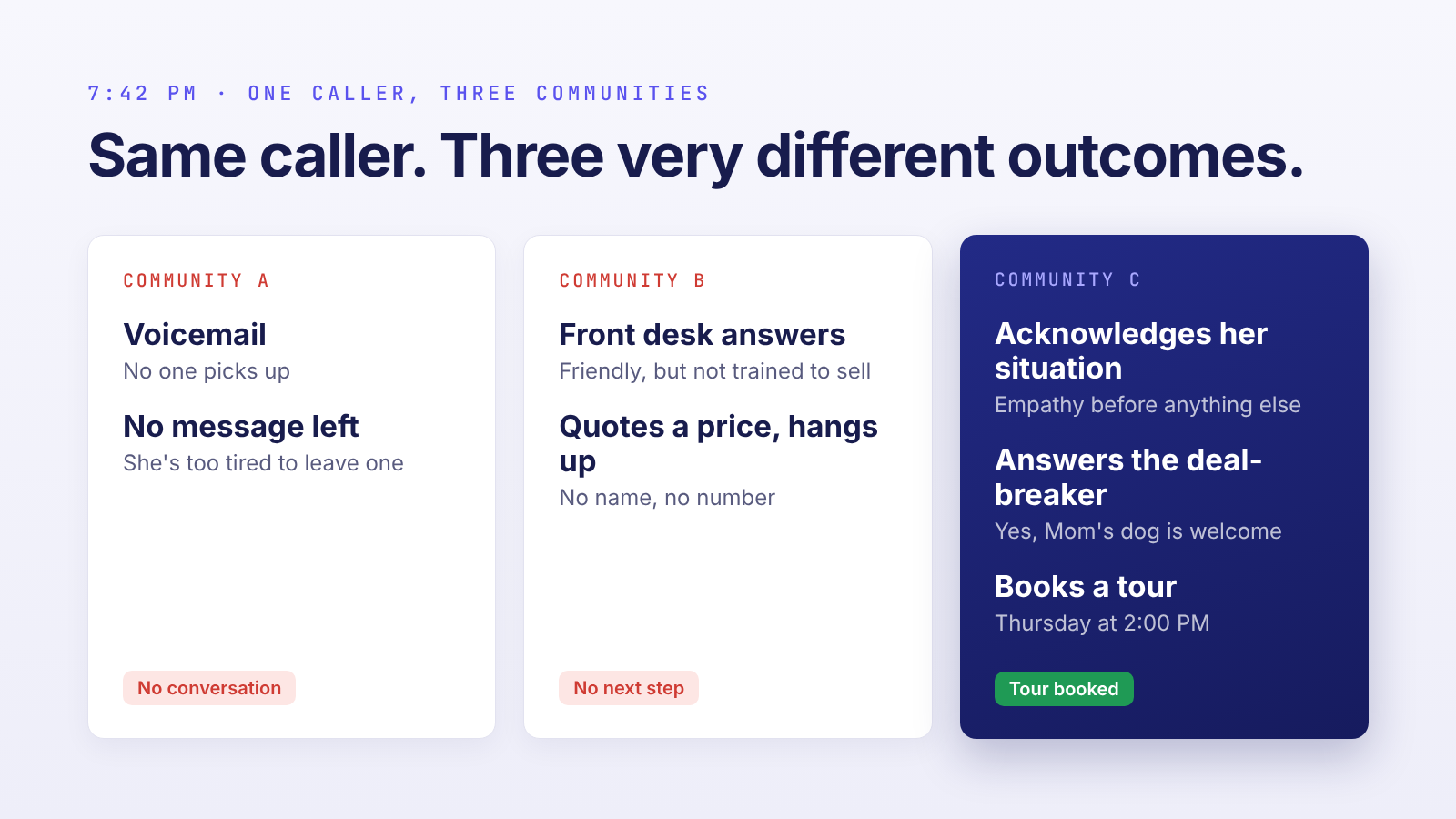
It’s 7:42 on a Tuesday night. Susan’s mom fell last week, and the hospital just told her Mom can’t go home alone anymore. Susan has been at work all day, and the kids are finally in bed. She has a quiet moment, so she calls three communities.
The first call goes to voicemail. She doesn’t have the energy to leave a message.
At the second community, the front desk picks up. They’re friendly, they quote a price, and that’s the end of the call. No name, no number, no next step.
At the third, someone has a real conversation with her. They acknowledge how hard this is and answer the question she cares about most: can Mom bring her miniature schnauzer? Then they book a tour for Thursday at 2:00.
Same caller, same need, three very different outcomes. Only one of those communities is in a position to win the move-in.
Every community wants to be the third call. The data says most aren’t.
Start with a simple question: who answers your sales line at 7 p.m. on a Saturday? Or at lunch on a Wednesday, when your sales director is mid-tour? If the honest answer is “the front desk,” “voicemail” or “I’m not sure,” you’re not alone.
This is what Further’s data shows:
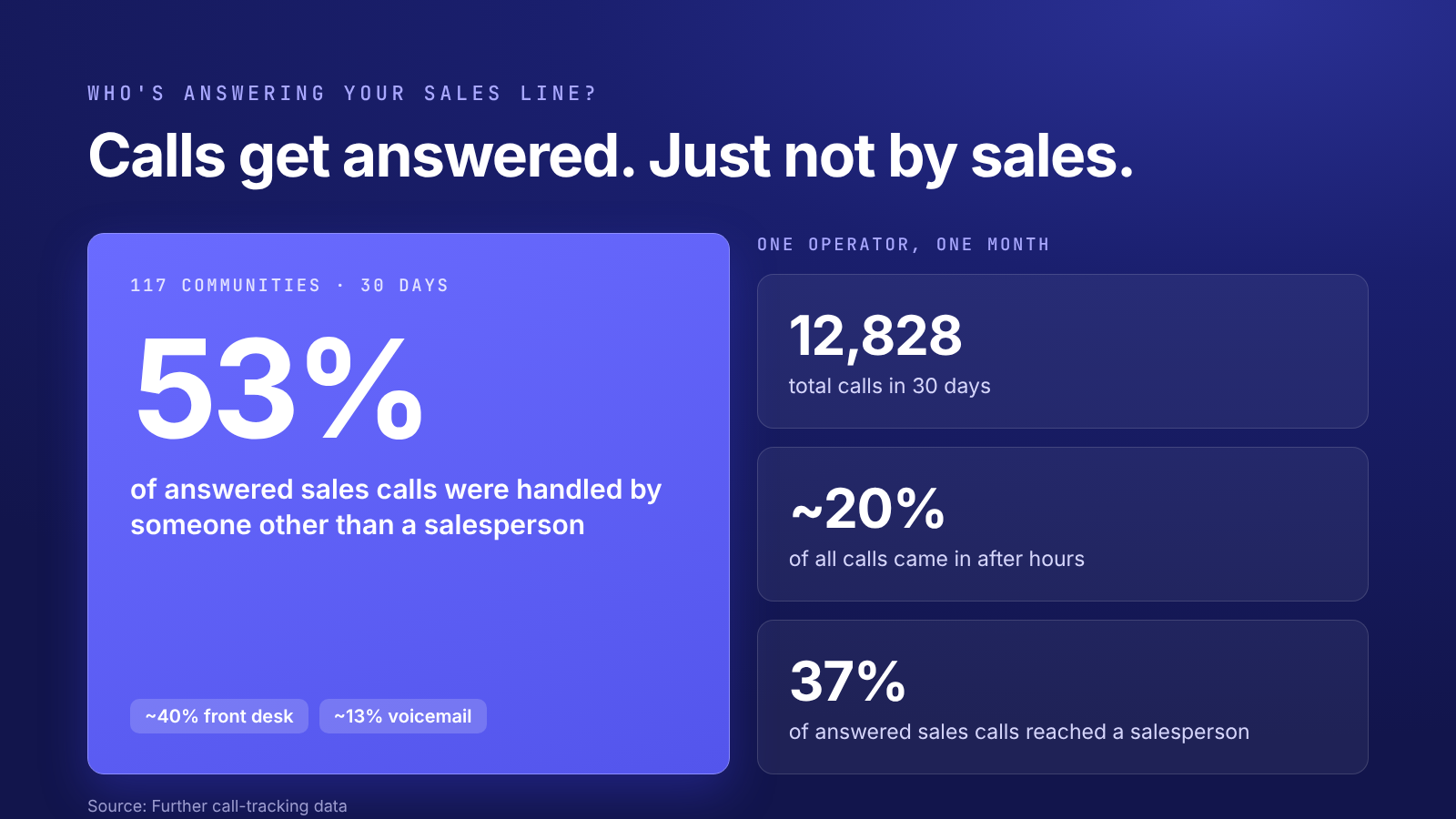
On paper, those calls were handled. That’s what makes the gap easy to miss. A 99% answer rate can hide the fact that half of your highest-intent prospects never spoke to the person whose job is to help them. There’s no blinking red light.
The gap isn’t limited to nights and weekends, either. The phones also go quiet at 2 p.m. on a Wednesday, when your sales director is setting up an apartment or out on a hospital visit. After hours is the most visible gap, but it isn’t the only one.
This isn’t about anyone doing a bad job. Each common backup option fails for a structural reason:
The person on the other end is usually an adult child. They call when they can: on a lunch break, after work or on the weekend. 50% or more of conversations that start online happen after hours and on weekends.
They’re often in crisis mode after a fall, a hospital discharge or a new diagnosis. Something made them pick up the phone today, which makes this one of the highest-intent moments in the whole buyer journey. They’re also usually calling several communities, sometimes on the same night.
What they want is fast, honest answers and a clear next step. Whoever delivers that first has a real advantage.
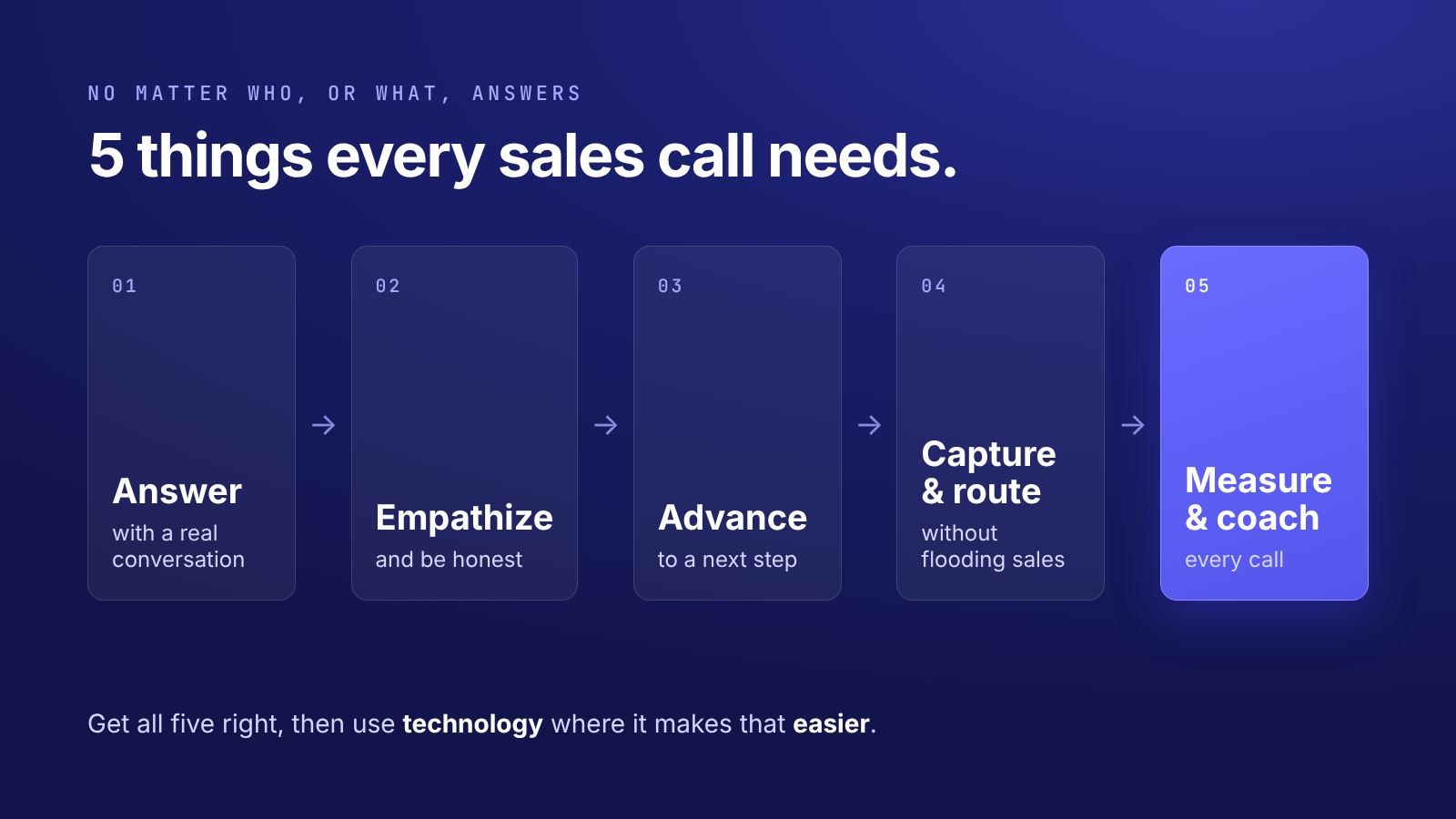
The goal isn’t to buy a particular technology. It’s to make sure every call meets the same five standards, no matter who, or what, answers the phone.
Every coverage option has trade-offs:
AI agents have changed that math. They’re available around the clock, answer common questions, book tours and log every lead. When a family wants a person, they hand the call off. An AI agent isn’t a replacement for your sales team. It’s a much better backup than voicemail.
Four principles apply whoever answers:
A useful check for that first call is WAIT: “Why am I talking?” A caller in crisis needs to be heard before they need a pitch.
A common objection is that families won’t talk to AI. The data says otherwise. In one 30-day sample, 19 of 103 AI-answered callers (about 18%) asked for a person, the front desk or voicemail. The rest stayed in the conversation. When the information is helpful and the assistant is honest about what it is, families take it.
Consider an after-hours call from an adult child about her mom’s mobility challenges. An AI agent named Sophie answers. She introduces herself as a virtual assistant and acknowledges the situation. She shares a starting-at rate for assisted living and confirms that small pets are welcome. Then she offers a tour, where the sales director will walk through tailored pricing.
That’s the same flow your best salespeople already use: greet and disclose, understand the situation, answer the deal-breaker questions, offer a tour, then confirm and capture.
To make sure every caller gets the same accurate answer, set guardrails for any backup coverage, not just AI:
One operator described good after-hours coverage as “voicemail that actually moves the sales process forward.” That’s the bar.
More operators are moving to a simple model:
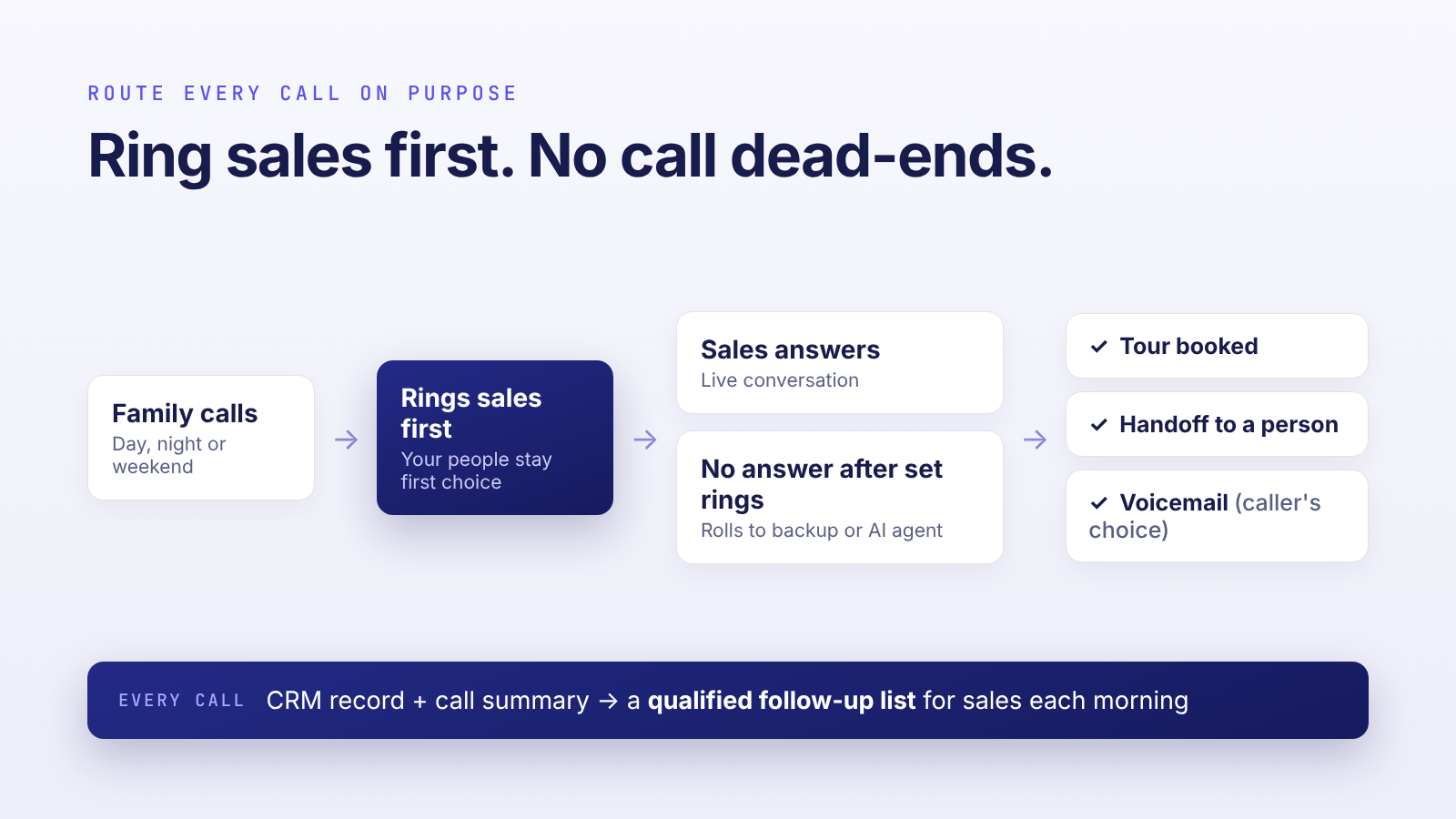
Whichever path a call takes, it becomes a CRM record with a summary. Your sales director starts each morning with a qualified follow-up list, with context, instead of a stack of voicemails and a round of phone tag.
Many operators start with nights and weekends only. Once they see how many daytime calls were missing sales, many add daytime rollover too.
If you can’t measure it, you can’t manage it. Here’s one community’s month of AI-answered calls:
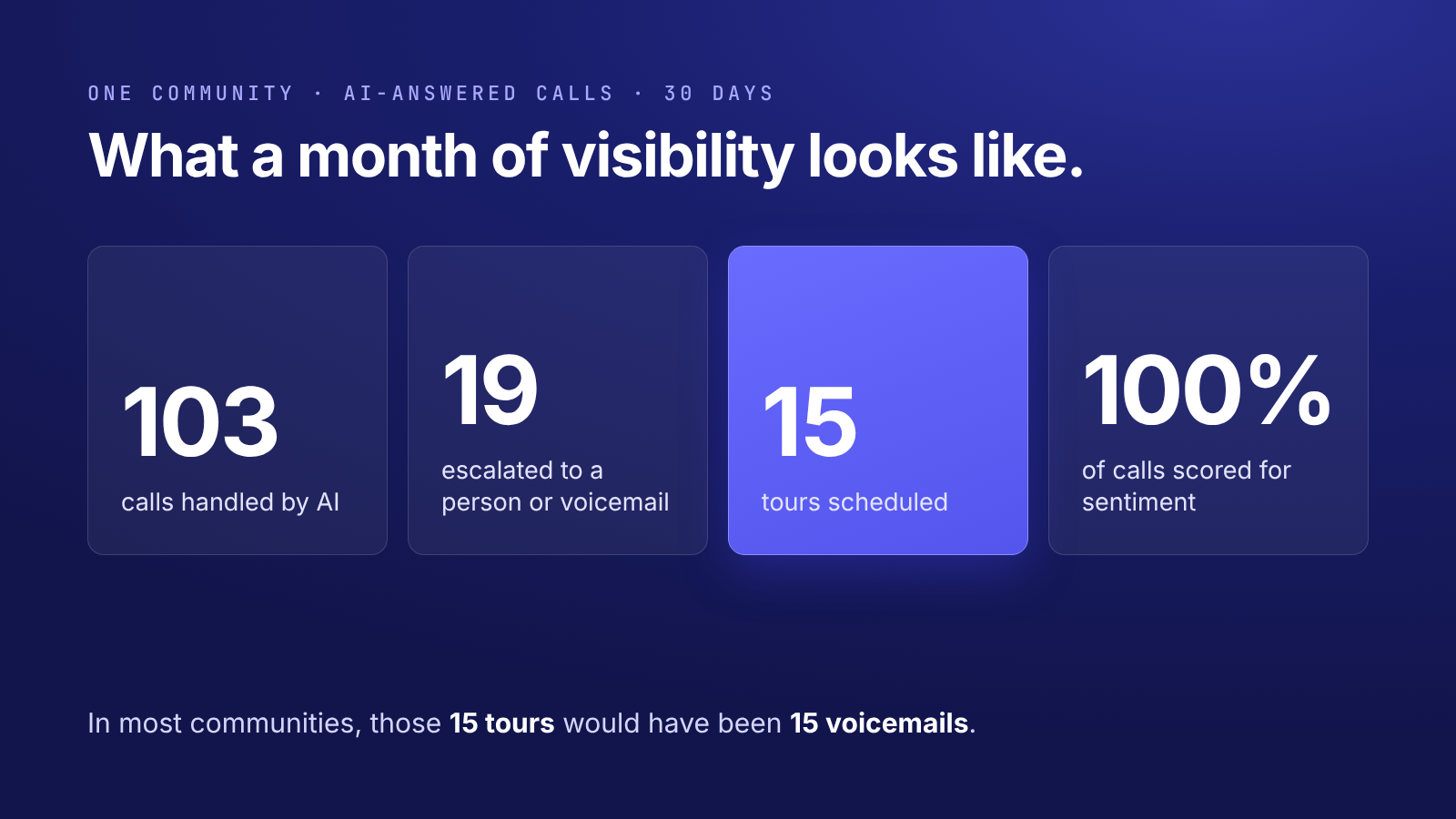
In most communities, those 15 tours would have been 15 voicemails.
The same discipline applies to your human calls:
The point of reviewing calls isn’t to assign blame. It's an opportunity to reframe a missed tour into a lesson.
The ROI math is simpler than it looks. Take a hypothetical community with 50 inquiries, 15 tours and 5 move-ins a month.
Operators using AI inbound agents are seeing roughly a 15–20% increase in tours scheduled. A 20% lift turns 15 tours into 18. At the same close rate, that’s 6 move-ins instead of 5. One more move-in a month is 12 more a year, or roughly $576,000 in annualized recurring revenue at $4,000 a month.
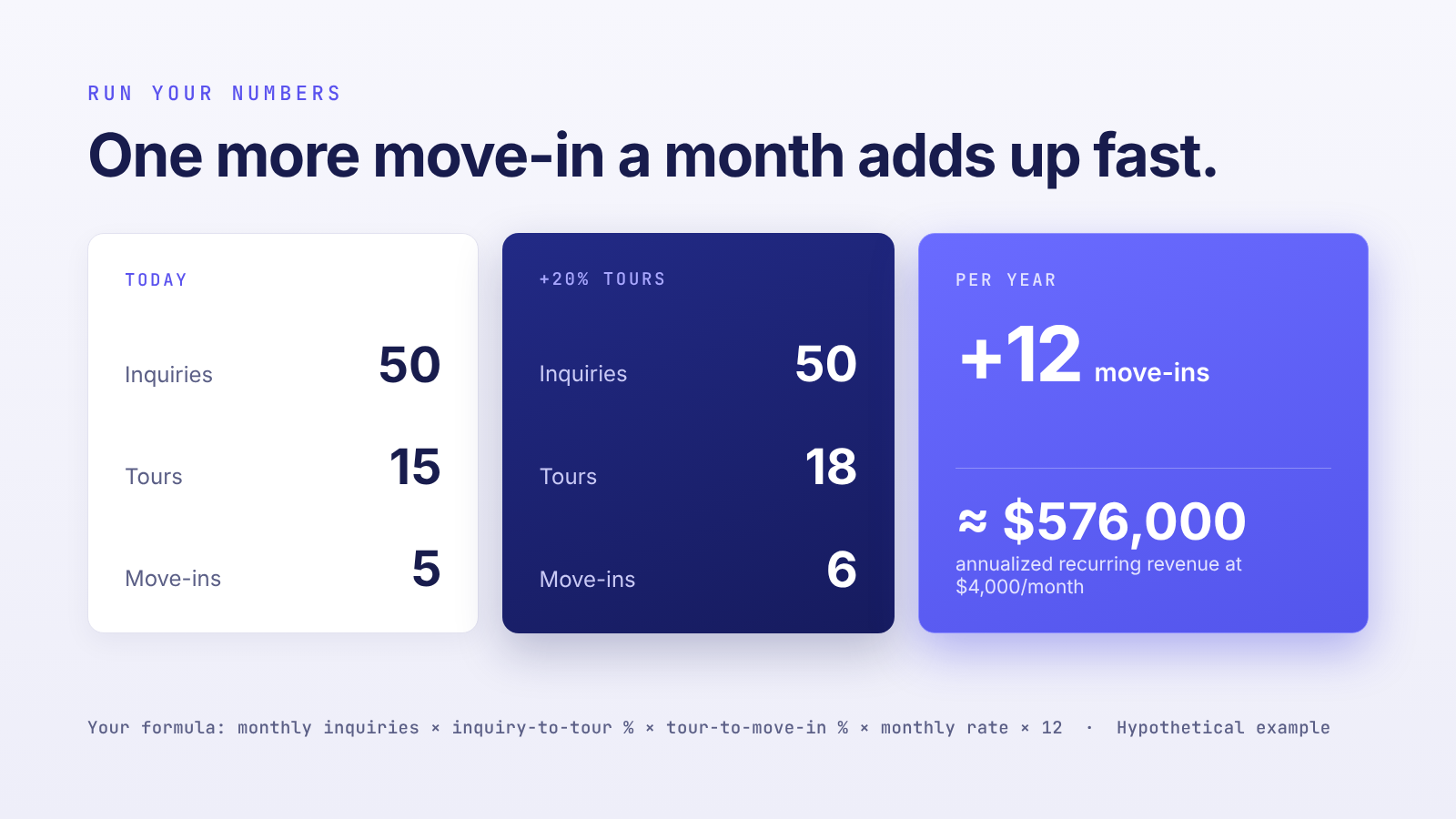
To run it for your own community, multiply:
monthly inquiries × inquiry-to-tour rate × tour-to-move-in rate × monthly rate × 12
Notice what’s missing from that math: new leads. Handling the calls you already get is worth just as much.
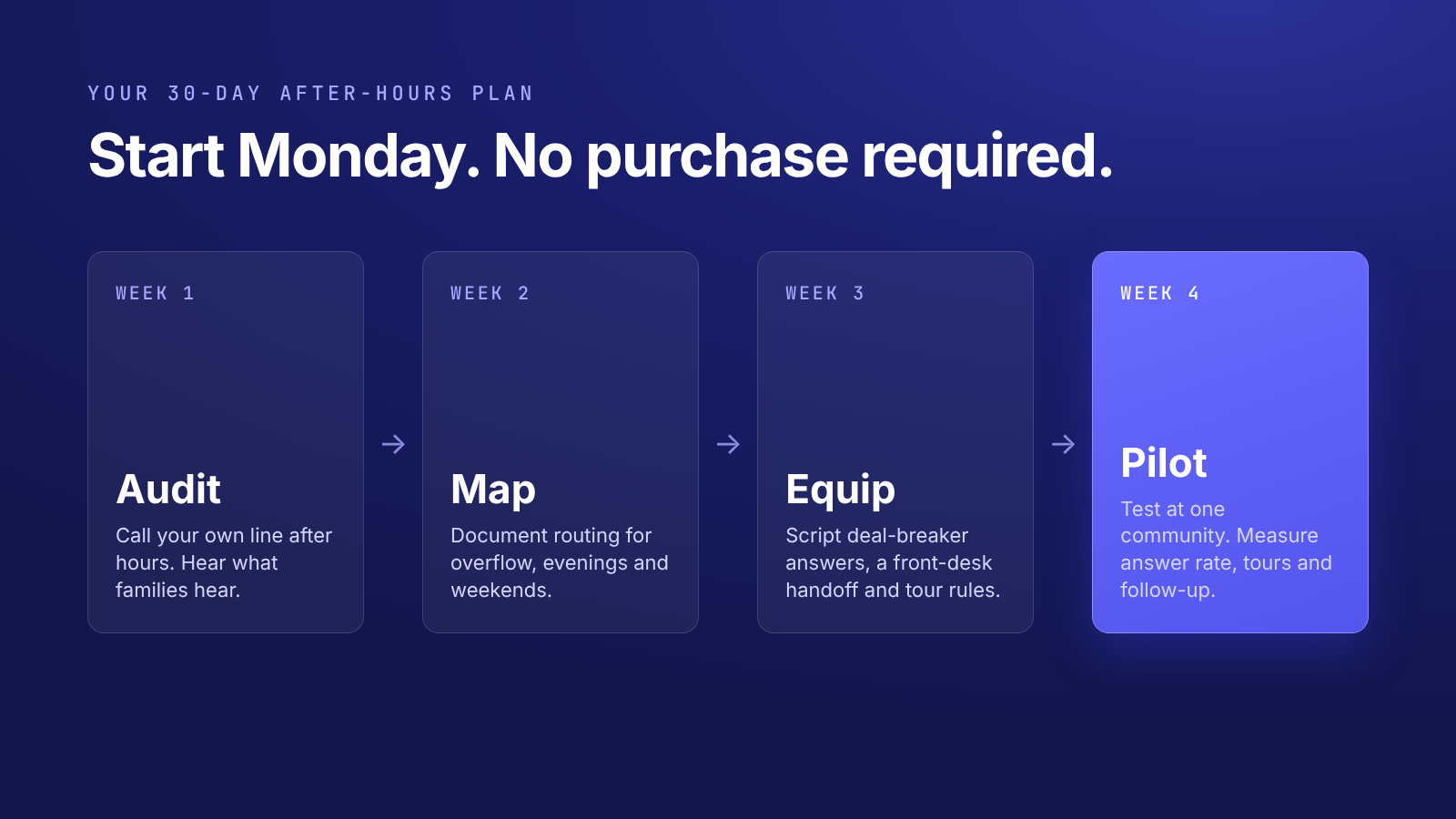
None of this requires a purchase to start.
Susan is going to call someone tonight. The only question is whether she reaches a conversation or a voicemail.
Want to know what families hear when your phones go quiet? Book a demo to see how Further’s AI Inbound Phone Agent answers every call, books tours around the clock and sends every inquiry to your CRM.


