Tracking & Measuring Made Easy: Meet Further’s New Email Tracking Feature
If you’ve ever tried to answer “Which email campaign actually drove these website visits and conversions?”, you know how quickly things can get messy when links aren’t tagged consistently.
Good news: Further’s Email Tracking feature now gives you the ability to easily add UTM parameters to every link in every email campaign, so your attribution stays clean and your reporting tells a clear story—without any extra work from your team.
How UTM Parameters Work
UTM Parameters: The Backbone of Accurate Attribution
UTM parameters are small pieces of text added to the end of a URL (like ?utm_source=email&utm_medium=newsletter) that tell your analytics tools where a visitor came from and what campaign brought them in.
When they’re used well:
You can see which campaigns actually drive traffic, tours, and move-ins
Marketing and operations can trust the same numbers when making budget decisions
Your team spends less time cleaning up data manually and more time optimizing what works
When they’re used inconsistently—or not at all—reporting becomes guesswork. One email says “newsletter,” another says “email,” and some links aren’t tagged at all. Suddenly, you’re piecing together performance from half-complete data.
Further’s new Email Tracking feature is designed to fix that.
What’s New: Easily Add UTMs on Every Email Link
Further can easily tag every link in your email campaigns with consistent, standardized UTM parameters with just the click of a button.
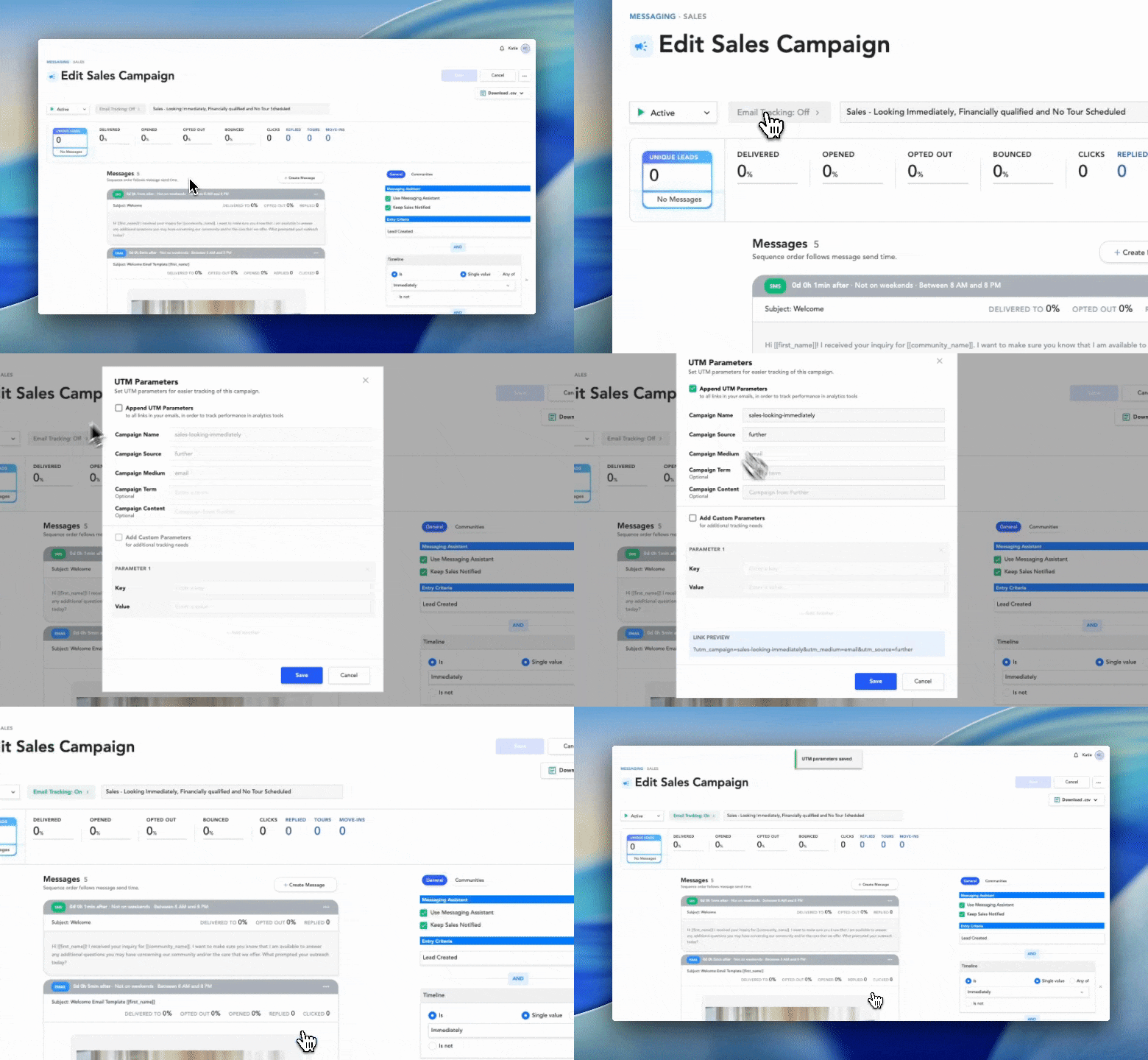
To add UTM parameters to your email campaign:
Click the Email Tracking button at the top
Select the Append UTM Parameters checkbox
Click Save
The Email Tracking button will turn green and say On when completed.
By default, each link from an email sent through Further will include:
utm_campaign = your campaign name
utm_medium = Email
utm_source = Further
Your analytics platform (like Google Analytics) will immediately recognize these parameters, so you can filter and report on exactly which Further campaigns are driving results.
Default UTM Parameters (Out of the Box)
Here’s what Further adds for you once you turn on Email Tracking:
utm_campaign
What it captures: The name of your campaign in Further
Why it matters: Lets you easily compare performance across different campaigns in your analytics tool
utm_medium
Default value: Email
Why it matters: Keeps all email traffic grouped together, so you can quickly answer, “How is email performing as a channel?”
utm_source
Default value: Further
Why it matters: Makes it clear that this traffic originated from your Further-powered campaigns, not from another platform
With these defaults, you can:
Slice performance by campaign and channel
Confidently attribute traffic and conversions back to Further email campaigns
Standardize reporting across communities and portfolios
Want More Control? Customize UTMs Per Campaign
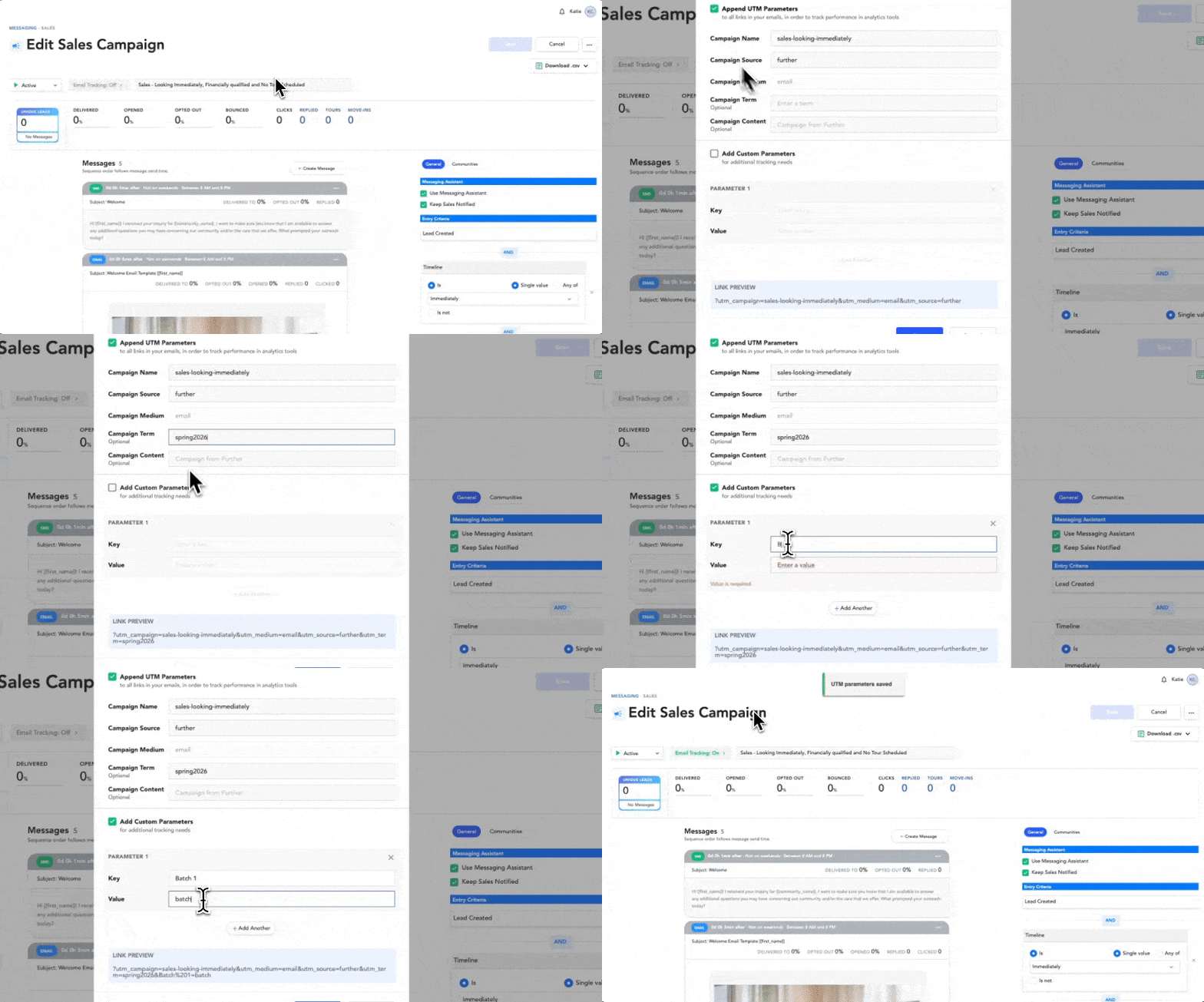
If you’d like to tailor UTM parameters for a specific campaign—for example, to align with a broader marketing initiative—you can easily customize them.
To customize UTM parameters for a campaign:
Click the Email Tracking button at the top
Select the Append UTM Parameters checkbox
Adjust the values as needed (for example, to match a specific naming convention or cross-channel campaign)
Add additional parameter keys if preferred
At the bottom of the UTM Parameters modal, you’ll see the link preview with the added UTM parameters.
Click Save
This gives advanced teams the flexibility they want, while still keeping a reliable default in place for everyone else.
How This Makes Reporting (Actually) Easier
With UTMs in place, you can:
Trust your attribution Know which email campaigns are sending visitors to your website—and which ones are leading to deeper engagement.
Align marketing and operations Give leadership clear, consistent answers when they ask which campaigns are supporting occupancy goals.
Reduce manual work No more hunting through spreadsheets or trying to guess which untagged visits came from which email.
Turning Every Click Into Insight
Attribution doesn’t have to be complicated to be powerful.
By standardizing UTM parameters across every email campaign, Further helps you:
Capture cleaner data
Answer smarter questions about performance
Make more confident decisions about where to invest your marketing dollars
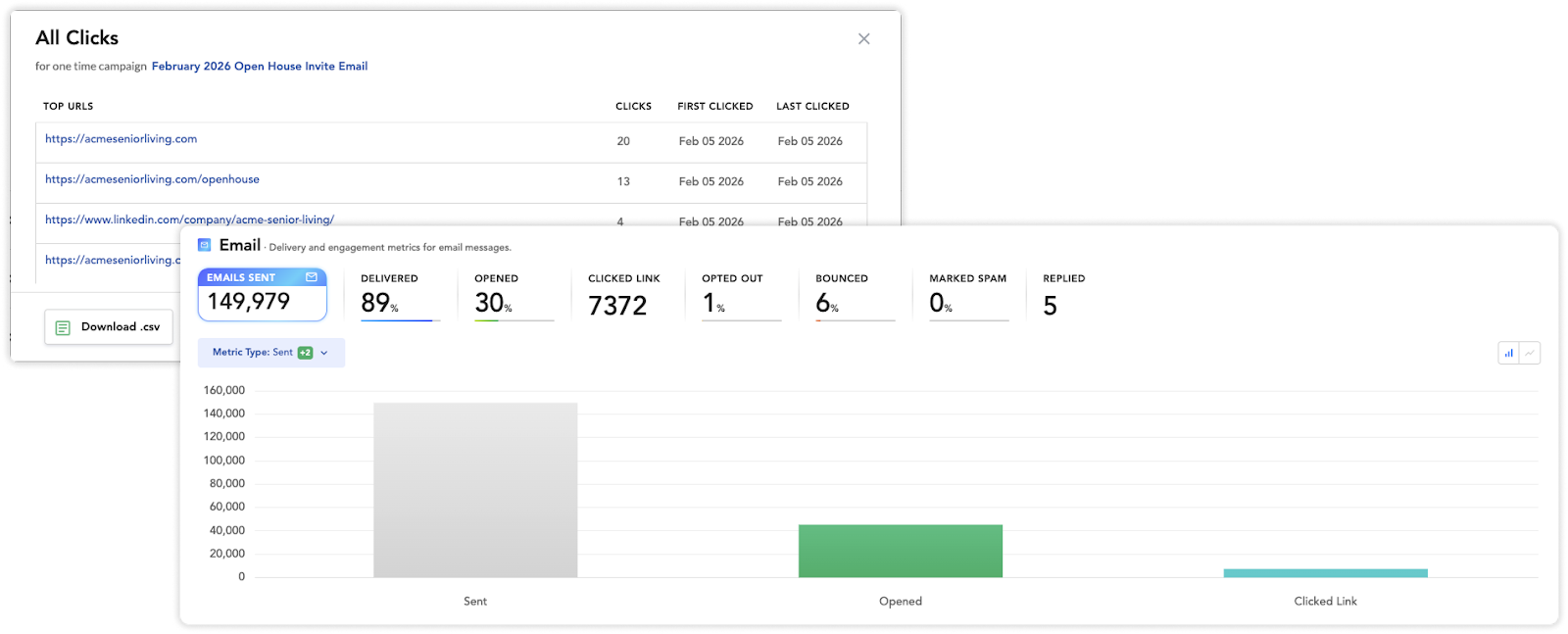
Every email click is a story about what’s working. With Email Tracking, Further makes sure you don’t miss it.



.png)